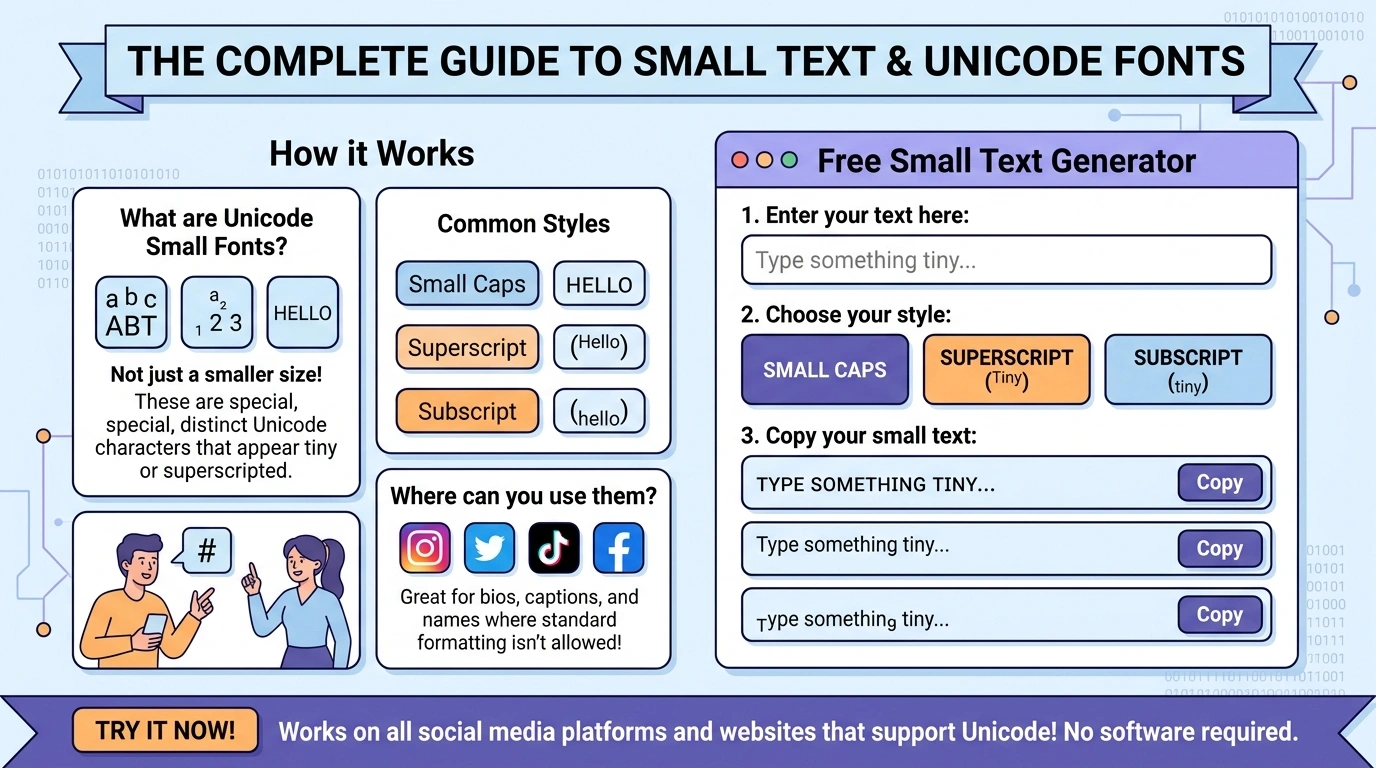
Have you ever scrolled through Instagram and noticed someone with a bio written in tiny, elegant letters letters that look like a completely different font, yet somehow paste perfectly into any app? Or spotted a Discord username with ˢᵘᵖᵉʳˢᶜʳⁱᵖᵗ characters that no standard keyboard can produce? That is the magic of small text, and in this complete guide, we are going to break down exactly what it is, how it works, and how you can start using it today for free using our Small Text Generator at Small Text Generator.
Small Text Generator is a free, no-signup online tool that converts your normal text into 10 different Unicode styles instantly. No download, no account, no limits.
What Exactly Is Small Text?
Small text also called tiny text, mini text, or small font text refers to a collection of special characters defined in the Unicode Standard that visually resemble regular alphabet letters but are much smaller in size or stylistically unique. These include superscript letters, subscript letters, small caps, and other letterform variants that were originally created for mathematical, phonetic, and scientific notation purposes.
The key insight that most people miss is this: small text characters are NOT fonts. They are individual Unicode characters unique code points assigned in the global Unicode table just like the letter ‘A’ (U+0041) or the emoji ‘😊’ (U+1F60A). This is precisely why you can copy and paste them anywhere, from Instagram bios to Twitter posts to Discord messages, without needing to install any font or plugin.
When you type the letter ‘a’ and convert it using a free small text generator, you are not changing the font you are replacing that character with a completely different Unicode character that simply looks like a tiny ‘a’. This distinction is crucial and explains why the text survives copy-pasting across platforms where custom fonts would otherwise be stripped away.
The History and Origin of Unicode Small Characters
The Unicode Standard is a global computing industry standard maintained by the Unicode Consortium. Its primary goal is to provide a consistent method of encoding, representing, and handling text across different writing systems worldwide. As of Unicode 15.1, the standard defines over 149,000 characters spanning 161 modern and historic scripts.
Small text characters were not originally designed for aesthetic purposes. Superscript and subscript characters were introduced to support mathematical equations, chemical formulas, and phonetic transcription in the International Phonetic Alphabet (IPA). Small capitals were added to support certain orthographic and typographic conventions in linguistics and formal publishing.
However, as social media platforms grew and users sought ways to personalize their profiles and posts, these characters were repurposed as a creative tool. The widespread adoption of smartphones and the copy-paste culture of social media turned obscure Unicode blocks into mainstream aesthetic tools giving rise to tools like our free small text generator.
All 10 Small Text Styles Explained (With Examples)
Our free online small text generator at Small Text Generator supports 10 distinct styles. Here is a detailed breakdown of each:
1. Small Caps
Small caps convert your lowercase letters into smaller versions of uppercase letters. The result looks like: ʜᴇʟʟᴏ ᴡᴏʀʟᴅ. This style is popular for elegant social media bios, brand names, and formal-looking captions. It is drawn from Unicode’s collection of modifier letters and phonetic extensions.
2. Superscript
Superscript text sits above the normal baseline, like footnote numbers in academic writing. Example: ʰᵉˡˡᵒ ʷᵒʳˡᵈ. It is one of the most popular styles for aesthetic usernames and captions because of its delicate, airy appearance. Not every letter in the Latin alphabet has a Unicode superscript equivalent, so our tiny text generator uses the closest available character for each.
3. Subscript
Subscript text sits below the normal baseline. Example: ₕₑₗₗₒ. Used heavily in chemistry (H₂O) and mathematics, subscript has been adopted by social media users for a minimalist, understated aesthetic. Similar to superscript, complete Unicode coverage does not exist for all letters.
4. Upside Down
This style flips each character upside down AND reverses the order of the text, producing text that reads correctly when you physically rotate your screen 180 degrees. Example: plɹoʍ ollǝɥ. It is one of the most eye-catching and conversation-starting styles available.
5. Bubble Text
Bubble text wraps each character inside a circle: ⓗⓔⓛⓛⓞ ⓦⓞⓡⓛⓓ. It is playful, bold, and immediately stands out in any feed. Uppercase bubble letters use filled circles, adding even more visual weight. This style works great for headings, hashtags, and social media profile names.
6. Wide Text (Full-Width)
Wide text uses full-width Unicode characters derived from the CJK (Chinese, Japanese, Korean) computing standards: Hello World. Each character takes up double the normal horizontal space, creating a stretched, retro-digital aesthetic that has become popular in lo-fi and vaporwave social media aesthetics.
7. Bold Sans-Serif
This style uses the bold sans-serif mathematical alphabet defined in Unicode’s Mathematical Alphanumeric Symbols block: 𝗛𝗲𝗹𝗹𝗼 𝗪𝗼𝗿𝗹𝗱. It produces clean, heavy text that looks like a bold font but functions as regular paste-able Unicode. Ideal for making key phrases pop in captions or bios.
8. Cursive / Script
The cursive style uses the mathematical script alphabet: 𝒽𝑒𝓁𝓁ℴ 𝓌ℴ𝓇𝓁𝒹. It mimics handwritten calligraphy and is one of the most requested styles for wedding-related social posts, fashion brands, and personal bios that want a luxurious feel.
9. Gothic / Fraktur
Gothic uses the mathematical Fraktur alphabet: 𝔥𝔢𝔩𝔩𝔬 𝔴𝔬𝔯𝔩𝔡. It replicates the old Germanic blackletter typographic style, now heavily used in music, tattoo culture, sports jerseys, and edgy social media aesthetics.
10. Backward
Backward text simply reverses the character order of your input: dlroW olleH. While it does not use special Unicode characters, it is a fun and effective way to create mysterious or coded-looking content, particularly in gaming communities and puzzle posts.
Where Can You Use Small Text? (Platform Compatibility)
One of the most common questions we receive at Small Text Generator is: will this actually work where I want to paste it? The short answer is yes almost everywhere. Here is a platform-by-platform breakdown:
- Instagram: Bios, captions, comments, DMs, and Stories text overlays all support Unicode small text.
- Twitter / X: Tweets, bios, display names, and replies all render small text correctly.
- Discord: Usernames, server nicknames, channel topics, and messages fully support all styles.
- Reddit: Post titles, comments, and flair text all render Unicode characters.
- TikTok: Bios and comments support Unicode text. Video captions depend on the overlay tool used.
- YouTube: Channel descriptions, video descriptions, and comments support small Unicode text.
- Facebook: Posts, comments, About sections, and page descriptions all support Unicode.
- WhatsApp & Telegram: Messages and status text both render Unicode small text correctly.
- Gaming Platforms (Steam, PSN, Xbox): Profile names and bios generally support Unicode.
- Email: Most modern email clients render Unicode text correctly in both subjects and body text.
Important Note: Some platforms like LinkedIn occasionally sanitize Unicode characters in certain fields. Always test your text after pasting it to confirm it renders as expected.
Why Use a Free Small Text Generator Instead of Doing It Manually?
You could, in theory, look up each individual Unicode character code and manually piece together your tiny text. In practice, this would take hours for a single sentence. A free online small text generator like Small Text Generator does the entire conversion in milliseconds for any length of text, across 10 different styles, simultaneously.
Here is what makes our tool specifically valuable compared to other tiny text generators online:
- Real-time conversion: Results appear instantly as you type no button press required.
- 10 simultaneous styles: See all conversions at once and pick the one that fits your need.
- Accurate Unicode mapping: We use the correct, platform-verified Unicode characters for each style rather than visual approximations that break on some devices.
- Clipboard fallback: Our copy function works on both HTTPS and HTTP environments, including older browsers.
- No limits: Convert a single word or an entire paragraph there is no character or word count cap.
- Privacy-first: Your text is processed entirely in your browser. Nothing is sent to or stored on our servers.
Small Text for SEO: What You Need to Know
If you run a blog or website, you may be wondering whether using small Unicode text in your content can help or hurt your search engine rankings. The answer requires some nuance.
For social media profiles and posts, small text has no negative SEO impact because social media content is largely not indexed by Google in the traditional sense. In fact, an eye-catching bio written with our free small text generator can increase profile engagement, follower count, and ultimately drive more traffic to your website which indirectly benefits SEO.
For website content (blog posts, landing pages, product descriptions), we strongly recommend against using Unicode small text in your primary headings or body copy. Search engine crawlers read Unicode characters literally, meaning ‘ʜᴇʟʟᴏ’ is not the same as ‘hello’ in Google’s eyes. Using small text for headings can prevent those pages from ranking for your target keywords.
The ideal use of small text for website owners is in decorative, non-critical elements visual accents, stylized pull quotes, or UI labels that do not contain target keywords.
5 Expert Tips for Using Small Text Effectively
- Match the style to your brand personality. Gothic suits edgy or music brands. Cursive suits luxury or wellness brands. Bubble suits playful or children’s brands.
- Do not overuse it. A single line in small caps is elegant. An entire post in superscript is exhausting to read. Use it to accent, not dominate.
- Test on mobile before publishing. Small text characters can render differently across operating systems and font rendering engines, particularly on older Android devices.
- Use bold sans-serif for emphasis within normal text. Since bold Unicode text looks like a bold font, it is the most natural-looking option for mixing with regular text.
- Save your favourite conversions. Our tool does not store your history, so copy conversions you plan to reuse into a personal note or document.
Frequently Asked Questions
Is Small Text Generator completely free to use?
Yes, absolutely. Small Text Generator is 100% free with no hidden charges, no premium tier, and no subscription required. Every style, every conversion, and every copy is free forever. We believe creative tools should be accessible to everyone, regardless of budget.
Do I need to create an account to use the free small text generator?
No account or registration is needed. Simply visit Small Text Generator, type or paste your text into the input box, and all 10 styles are generated in real-time. You can copy any result to your clipboard instantly with a single click.
Why does superscript not have all 26 letters?
The Unicode Standard was not designed with complete superscript alphabet coverage in mind it was built incrementally to meet scientific and linguistic needs. As a result, some letters (notably ‘q’ and ‘c’ in their ‘standard’ superscript form) do not have official Unicode equivalents. Our tiny text generator uses the closest available Unicode modifier letter for each missing character to maintain visual consistency.
Will small text work on every website and app?
Small text generated by our tool consists of standard Unicode characters, which are supported by all modern operating systems, browsers, and most major platforms including Instagram, Twitter, Discord, Reddit, YouTube, Facebook, WhatsApp, and most gaming platforms. Compatibility is extremely high, though a small number of platforms may strip or misrender certain less-common Unicode characters. We always recommend pasting and previewing before publishing.
Is my text stored or used by Small Text Generator?
No. All text conversion happens entirely within your browser using JavaScript. No text you enter is ever transmitted to, logged by, or stored on our servers. Your content remains completely private. This is a core design principle of our tool what you type stays with you.
Can I use the small text generator on my mobile phone?
Yes. Small Text Generator is fully responsive and works seamlessly on all screen sizes including smartphones and tablets. The tool has been tested across iOS (Safari) and Android (Chrome) to ensure consistent performance and display on mobile devices.
What is the difference between small text and a small font?
A font is a typeface file (like Arial or Times New Roman) that must be installed on a device to render correctly. When you paste text styled with a font into another app, the font does not travel with it only the plain characters do. Small text from our generator uses actual Unicode characters, meaning the ‘style’ is baked into the character itself. This is why tiny text can be pasted anywhere and still look the way it was intended.
Conclusion: Start Creating With the Best Free Tiny Text Generator
Small text is one of the simplest, most powerful ways to make your social media presence stand out and it costs nothing. Whether you are building a brand identity with elegant small caps, adding personality to a Discord server with bubble text, or writing a poetic Instagram bio in cursive, the right style can completely transform how your content is perceived.
Small Text Generator gives you instant access to all 10 styles, completely free, with no registration, no limits, and full privacy. We are continuously improving the tool based on user feedback so if there is a style you want to see added, or something we can improve, we would love to hear from you.
Head to SmallTextGenerator.it.com right now, type your first line, and see the magic happen in real time. Your next standout bio is one copy-paste away.
Leave a Reply